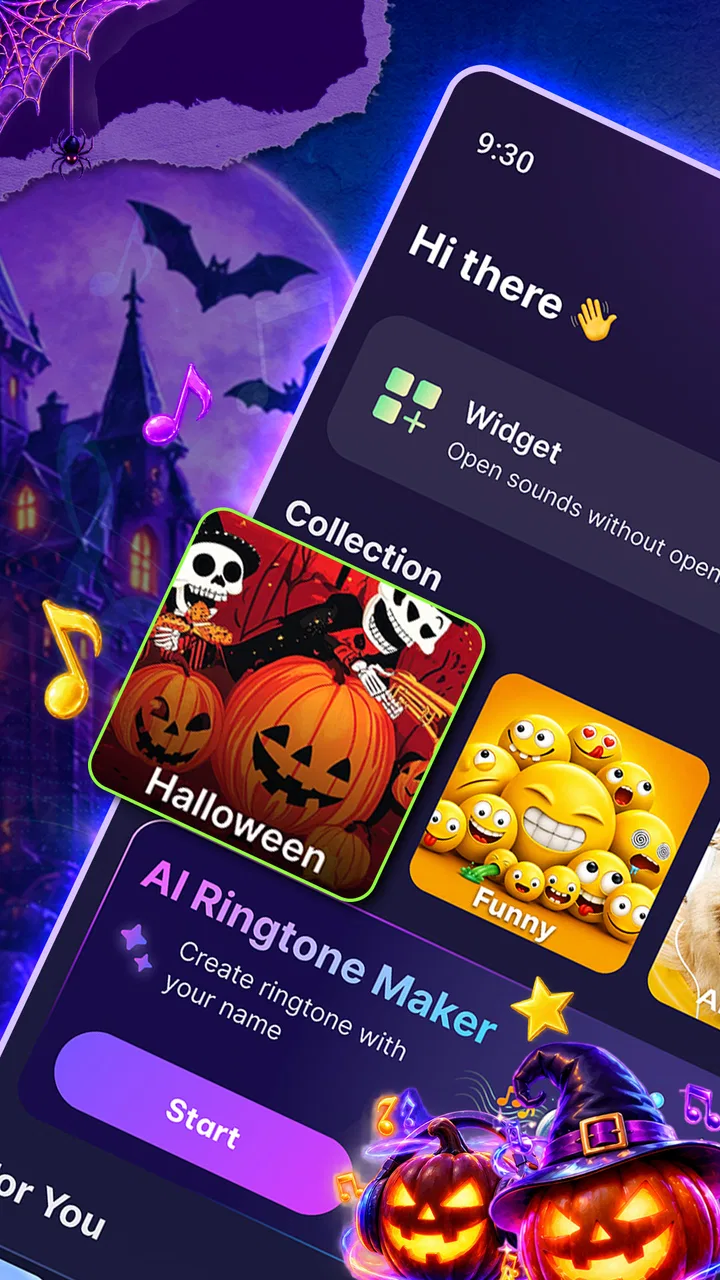
Android Ringtone Songs
- 4.7
- Rating
- 10.00M
- Installs
- Free
- Price

 Analysis by App-foxy
I spent time with Android Ringtone Songs as a personalization app, testing it from the practical point of view that matters most: how quickly I could find a sound, understand what each control did, and make a sensible choice without turning ringtone setup into a chore. My overall impression is that it is aimed at people who want a large collection of ready-made sounds rather than a complicated audio editor. That focus makes it approachable, although the size of the catalog also creates some friction when you are looking for one particular mood.
Android Ringtone Songs comes from Ringtone Phone App and is free to download, with optional purchases ranging from $1.49 to $59.99 per item. It sits in the Personalization category and is intended for Android phones running version 7.0 or later. The app has built a substantial audience, with over 5 million installs, a 4.7 average from around 198 thousand ratings, and about 2.4 thousand written reviews. Those figures suggest that the basic idea is easy for many people to understand: open the app, browse ringtone music, listen, and choose something that feels more personal than the default phone sounds.
Finding a sound without getting lost
The first thing I noticed is that this is not really an app for someone who wants to create a ringtone from scratch. Its strength is discovery. The catalog is presented as a broad collection of ringtone songs, and the store summary describes more than 10,000 choices. That scale is useful if you are bored with the sounds already installed on your phone, but it also changes how you should approach the app. Instead of expecting to identify the perfect tone immediately, it is better to treat browsing as a filtering process: listen to a group, reject the ones that are too sharp or too busy, and keep a short mental list of the sounds that work.
You May Also Like

 Pandora - Music & Podcasts
Pandora’s Music Is Easy to Start, but Harder to Recover
Pandora’s strength is its low-effort path from a seed to a station. Its weak spot is how much confidence it asks you to place in connection, setup, and quiet recovery.

 8 Ball Pool
 Is Built on Rivalries, Rematches, and Routine
A close look at the rivalries, rematches, shared routines, and unanswered safety questions that turn a quick pool match into a persistent mobile community.

 Samsung Music
’s Quiet Strength Is Playing What You Already Own
Its reach comes less from spectacle than from dependable access to a personal library. That simplicity is both the app’s strongest retention engine and its ceiling.

 AccuWeather: Weather Radar
AccuWeather Review: A Quick, Clear Forecast for Everyday Decisions
For everyday plans, the best forecast is the one you can understand quickly. AccuWeather makes rain timing, radar, and local conditions easy to act on, with a few trade-offs.

 Hill Climb Racing
Why Hill Climb Racing Still Turns Crashes Into One More Run
A tiny car, a bumpy hill and one more upgrade: Hill Climb Racing keeps resurfacing because its simple chaos makes every near-miss feel personal.

 AliExpress - Shopping App
AliExpress Makes Global Shopping Feel Personal, but Shoppers Bear the Risk
AliExpress turns a global marketplace into a pocket-sized discovery engine. Its reach is useful, its shopping loop compelling, and its trade-offs easy to miss.
More From Our News Desk
View All News


For readability, the most important question is whether the labels and playback controls are clear enough to support quick decisions. In everyday use, ringtone apps need to communicate three things at a glance: what a sound is called, how to preview it, and how to apply it. When those elements are visually distinct, the experience feels comfortable even for someone who is not especially confident with phone settings. When a screen contains many similar entries, however, scanning becomes more tiring. This is the trade-off of a large music-oriented catalog: variety is high, but the user has more items to compare.
I would approach the app differently depending on the person using it. Someone who enjoys exploring sounds can scroll casually and discover options that would never appear in the phone’s built-in selector. Someone with reduced visual stamina, attention difficulties, or a need to make a choice quickly may prefer a narrower search routine. I recommend deciding on a purpose first: a loud alert for calls, a calmer tone for messages, or a distinctive sound for a particular contact. That simple decision prevents the catalog from becoming an endless stream of previews.
The interface is also easier to use when the phone itself is configured thoughtfully. Increasing system text size, using a comfortable display setting, and keeping media volume at a moderate level can make previewing less tiring. These are device-level adjustments rather than special promises from the app, but they matter because a ringtone browser is experienced through the phone’s screen and speaker. I would not judge the app only by how attractive its listing looks; I would judge whether the controls remain understandable after several minutes of browsing.
Previewing is more important than collecting
A common mistake with ringtone apps is choosing a sound because its title looks appealing, then discovering that it is irritating when repeated throughout the day. I found it more useful to preview each serious candidate several times and imagine it in a noisy room, in a quiet office, and beside other notifications. A tone that sounds exciting once may become exhausting after repeated calls. Conversely, a short, clean musical phrase can be easier to recognize than a dramatic sound with many layers.
One useful workflow is to separate discovery from installation. During the first pass, I would only listen and reject unsuitable sounds. During the second pass, I would compare the remaining candidates at a comfortable volume and choose one for a specific purpose. This is especially helpful for people who process information more slowly or who find rapid switching between sounds overwhelming. It also reduces accidental choices, because the decision is made after listening rather than while navigating quickly.
The app is a better fit than the usual built-in ringtone picker when you want breadth. The standard Android selector is usually faster for choosing from tones already on the device, and it may be less distracting because there are fewer options. Android Ringtone Songs is more useful when the built-in collection feels repetitive and you want music-based alternatives without first searching elsewhere for audio files. That convenience is balanced by the need to spend more time evaluating what is available.
Motor and sensory comfort in real use
From a motor perspective, ringtone browsing is a relatively simple task, but repeated tapping and scrolling can still become uncomfortable. If you have limited dexterity, tremor, or difficulty making precise touches, a long catalog may require more interaction than the default phone settings. I would use slower, deliberate gestures, avoid rapid repeated taps on preview controls, and make choices in a seated position rather than while walking. The app’s value is reduced if reaching the desired sound requires too much repetitive navigation.
There is also a sensory question that is easy to overlook: ringtones are meant to be noticeable, so some will naturally be bright, loud, or rhythmically insistent. That is useful for someone who regularly misses quiet alerts, but it can be unpleasant for people sensitive to sudden sound. I would preview with the phone away from my ear and keep the volume low until I know what to expect. A tone that feels acceptable through a quick preview may be startling when it begins unexpectedly during a meeting or at night.
For people who rely on vibration, sound alone may not solve the problem of missed calls. The app can help personalize the audible part of an alert, but the overall usefulness still depends on how the phone’s vibration and notification settings are configured. If you normally keep the device muted, a new ringtone will not change that habit. In that situation, the better approach is to combine a recognizable sound with the phone’s existing vibration or visual notification options, rather than expecting the ringtone itself to cover every situation.
People with hearing loss may also need to judge the app differently. A distinctive tone can be helpful when it is paired with a visible or vibrating alert, but selecting a more musical sound does not guarantee that it will be easier to detect. Lower-frequency or less cluttered sounds may feel clearer to some listeners, while others may notice sharper tones more readily. Because hearing varies so much, I would test a selected sound from across a room and with normal background noise before relying on it for important calls.
For users with visual limitations, the practical issue is not just whether text can be enlarged. It is whether the app remains understandable when the screen is viewed with larger system text or display scaling. If labels become crowded or controls move unpredictably, browsing can become frustrating. I would recommend trying the app with the phone’s preferred text size before investing time in a large collection. If the interface does not remain comfortable at that setting, the built-in Android tools or a simpler ringtone source may be a better choice.
Situational access: when the app helps and when it does not
A realistic everyday scenario is changing a phone before a busy week. You may want a ringtone that stands out in a noisy workplace, a softer sound for evenings, and a different alert for messages so that you do not check the screen for every notification. Android Ringtone Songs is useful at the discovery stage because it gives you more sounds to consider than the usual system list. I would do this setup at home, where I could listen carefully, rather than trying to browse during a commute or in a crowded public place.
Another good use is helping a family member personalize a phone. Instead of asking them to manage audio files, you can sit together, play a few options, and choose something they recognize. This can be especially practical for someone who finds default tones confusing. The important part is to keep the selection small. Presenting ten carefully chosen sounds is more inclusive than handing over a catalog of thousands and expecting the person to navigate it alone.
There are contexts where the app is less suitable. If you need a completely silent alert, a highly controlled notification schedule, or an audio file edited to an exact length, this is not the tool I would reach for first. The app is centered on choosing from available ringtone music, not on replacing Android’s broader sound-management settings. Likewise, if you already have a well-organized collection of personal audio files, the phone’s built-in selector may be faster and less distracting.
Travel and connectivity can also affect the experience of any catalog-based ringtone app, so I would prepare important sounds before leaving home rather than waiting until I need one urgently. I would also check the result with the phone locked and with the usual alert mode active. Choosing a tone is only half the job; the real test is whether it behaves as expected during a call or notification in the situation where you depend on it.
Where the experience still has barriers
The biggest barrier is choice overload. A catalog with more than 10,000 ringtone songs sounds generous, but quantity does not automatically equal accessibility. A person who has difficulty comparing similar sounds may spend longer browsing than they would with the limited Android collection. The app works best when the user has a clear goal and is willing to discard most options quickly.
Another limitation is that a ringtone is an auditory signal, so it cannot serve every user equally well. People who are deaf or hard of hearing may gain little from changing the sound unless they already use vibration or visual alerts. People sensitive to sudden noises may need to reject many otherwise attractive options. I appreciate the personalization concept, but I would not treat it as a complete accessibility solution for phone alerts.
Optional purchases are another point worth considering. The app is free, which makes it easy to try, but the presence of individual in-app purchase items means users should pay attention before confirming anything. This matters particularly when setting up a phone for a child, an older relative, or anyone who may tap through screens without fully noticing purchase prompts. The content rating is Teen, so I would still use normal supervision and device purchase controls where appropriate rather than assuming free installation means every part of the experience is cost-free.
There is also a maintenance consideration. The current version is 2.0.2, and the app was released on July 12, 2021. That gives the product a clear history, but Android phones can differ widely in how they display controls and handle sound settings. Before depending on a selected ringtone for an important contact, I would make a test call and check the phone’s volume, Do Not Disturb behavior, and notification preferences. This is sensible phone hygiene, but it is particularly important when the app is being used by someone who needs dependable alerts.
Who should use it, and who should skip it
I would recommend Android Ringtone Songs to someone who is tired of the default Android sounds, enjoys browsing music-based choices, and wants a free starting point before considering optional purchases. It is also a reasonable choice for a family member who wants a more recognizable call sound but does not want to manage audio files manually. The app’s strong audience response, including a 4.7 average and millions of installs, makes it easy to see why the simple discovery model appeals to many users.
I would suggest skipping it if your priority is minimal interaction. For a person who wants to change one setting in a few seconds, Android’s own ringtone picker is probably more efficient. I would also look elsewhere if you need detailed editing, exact trimming, advanced sound profiles, or an accessibility-focused alert system. Those needs go beyond what I would expect from a browsing app whose central purpose is offering a wide selection of ready-to-use ringtone music.
My most practical advice is to choose for recognition, not novelty. Pick a sound that you can identify after a single moment, that does not cause sensory discomfort, and that remains audible in the places where you normally use your phone. If several people in a household use the app, give each person a small shortlist and let them make the final choice. That approach respects different hearing preferences, attention levels, and motor comfort better than assuming one popular sound works for everyone.
A balanced, inclusive verdict
Android Ringtone Songs succeeds because it makes personalization feel more interesting than scrolling through the same small set of system tones. I liked it most as a discovery tool: it gives people room to find a sound that matches their habits, personality, or need for a clearer alert. The free entry point is helpful, and the app is specific enough to be useful without asking users to become audio editors.
Its weaknesses are closely connected to its main strength. A very large catalog can challenge readability, attention, and decision-making, while musical alerts may not suit people who need vibration, visual cues, or gentler sensory input. The app also should not be confused with a full accessibility or notification-management solution. Its inclusive value depends on how thoughtfully the user combines it with Android’s own text, volume, vibration, and alert settings.
After using it, I see Android Ringtone Songs as a good recommendation for curious Android users who want more choice and are prepared to browse selectively. I would set aside a few quiet minutes, preview sounds at a safe volume, test the final choice in a normal environment, and review any purchase prompt carefully. The best result comes from treating the app as one part of a personalized alert setup, not as a replacement for the phone’s accessibility and notification controls.
FAQs for Android Ringtone Songs
01What features does the Android Ringtone Songs app offer?
The Android Ringtone Songs app provides a vast library of ringtones, including popular music hits, unique sound effects, and customizable tones. Users can easily browse categories to find the perfect ringtone for calls, notifications, or alarms. The app also allows you to create your own ringtones by trimming audio files.
02Is the Android Ringtone Songs app free to use?
Yes, the Android Ringtone Songs app is free to download and use, with a wide selection of ringtones available at no cost. However, it may include in-app purchases or advertisements to access premium features or exclusive content, enhancing the user experience.
03How user-friendly is the Android Ringtone Songs app?
The app is designed with a straightforward interface, making it easy for users of all ages to navigate. It features intuitive search and filter options, allowing users to quickly find and set their favorite ringtones. The installation and customization processes are simple and hassle-free.
04Does the Android Ringtone Songs app require internet access?
While the app can be used offline once ringtones are downloaded, an internet connection is required to initially browse and download new ringtones. This ensures users have access to the latest and most popular tones available in the app's extensive library.
05Are there any privacy concerns with the Android Ringtone Songs app?
The app takes user privacy seriously and typically requires minimal permissions, such as access to storage for saving ringtones. Always review the app’s privacy policy and permissions before downloading to ensure your data is handled securely and in accordance with your preferences.
Pros
- Extensive library of ringtones.
- User-friendly interface design.
- High-quality sound options.
- Regular updates with new tones.
- Customizable settings available.
Cons
- Contains in-app advertisements.
- Limited free ringtone options.
- Requires internet for downloads.
- Some features need premium access.
- Occasional app crashes reported.

Android Ringtone Songs
Gallery